
Race CommandIQ
Race CommunicationsHouse & Home
3.470.00 Reviews
- Version
- 26.2.1
- Installs
- 10.00K
- Age Rating
- Everyone
Screenshots
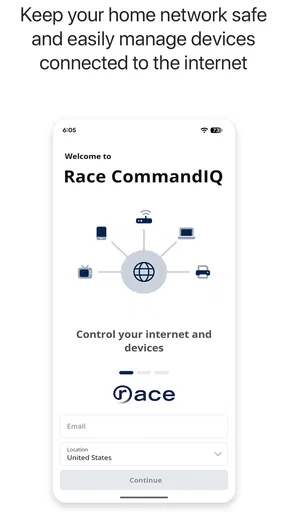
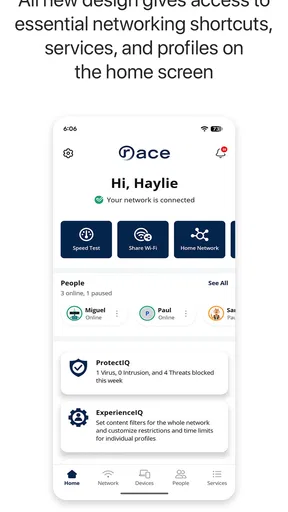
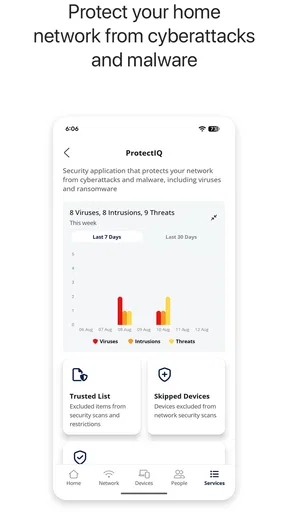
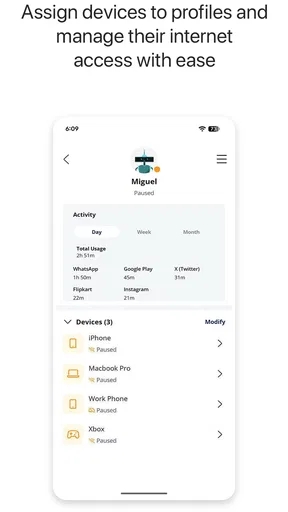
Our Review of Race CommandIQ
 Analysis by Appyee
Managing a connected home sounds simple until the internet connection, household routines, and several devices all meet in the same place. Race CommandIQ is designed to make that daily management easier from a phone, and after spending time with it, I see its value less as a flashy smart-home toy and more as a control point for people who use Race Communications. It belongs to the House & Home category, is free to use, and is developed by Race Communications.
My first impression was that the app makes the most sense when I treat it as part of a repeatable home-network routine. I open it when I want to check or adjust the connected environment rather than when I am looking for entertainment or a large collection of unrelated home gadgets. That focus is useful, but it also means the experience depends heavily on what Race service and compatible equipment are available in your home.
How I use Race CommandIQ in an ordinary week
The baseline workflow is straightforward: open the app, look at the current home setup, and make a small adjustment only when there is a reason to do so. I found this approach better than constantly changing settings. A smart-home management app can become confusing if every slow connection or temporary problem leads to a different configuration. With Race CommandIQ, I prefer to start by checking the overall state, then work through the relevant control instead of guessing.
A realistic example is a busy evening when one person is streaming, another is on a video call, and someone else is trying to connect a new device. In that situation, the app is useful as a single place to inspect the home network and make a deliberate change. I would not expect it to solve every performance issue automatically, because wireless congestion, device hardware, and the internet service itself can all be involved. What it does give me is a more organized way to investigate before unplugging equipment or calling for help.
I also like the app for small household handoffs. If another person in the home asks whether the network is working, opening the same management tool is clearer than describing which lights are blinking on a router. That makes it practical for families, roommates, and anyone who is not comfortable navigating technical settings. The interface still requires some attention, but the purpose is easier to understand than a traditional collection of router menus.
The app has an average rating of 3.4 from around 180 ratings, with roughly 70 written reviews, and it has passed the 10,000-install mark. Those figures suggest a modest user base rather than a universally adopted smart-home platform. I would read that as a reason to judge it by fit: it can be worthwhile for a Race Communications customer, while it is much less compelling for someone searching for a provider-independent home-control app.
What I check before changing anything
My first habit is to identify the actual problem. Is one device struggling, is the whole home affected, or is the issue limited to a particular room? That distinction matters because a setting change may help one situation while creating confusion in another. I try the least disruptive adjustment first and then give the household a chance to return to normal use before deciding whether more troubleshooting is needed.
This is also where I avoid treating the app like a magic speed button. A management screen can show useful information and offer controls, but it cannot change the physical location of a router, remove thick walls, repair a failing device, or make an older phone behave like new. When the problem is clearly outside the app’s reach, I would rather use it to gather context and then contact Race Communications than repeatedly toggle options without a plan.
For new users, the best starting point is not an ambitious smart-home project. I recommend opening the app when the network is working normally and learning where the important controls live. That creates a baseline. Later, if something goes wrong, you are less likely to make a rushed change simply because the screen looks unfamiliar.
Settings worth checking before you rely on it
Experienced use begins with a calm review of the available settings. I look for controls that affect the whole household, then separate them from options that apply to a single device or situation. That distinction is easy to overlook, yet it prevents a common mistake: changing a broad setting to solve a narrow problem.
I also pay attention to how the app presents device information. Names matter more than people expect. If several phones, televisions, speakers, or computers appear with unclear labels, later decisions become slower and more error-prone. I prefer naming devices in a way that describes their location or owner, provided the app’s available controls support that kind of organization. A tidy device list is not exciting, but it makes troubleshooting much faster.
Another useful habit is reviewing settings after a household change. Adding a new streaming box, moving a work laptop to another room, or replacing a phone can make an old setup harder to understand. I do not assume the previous arrangement remains ideal. A short review in Race CommandIQ can reveal whether the current device list and configuration still match how the home is actually being used.
There is a trade-off between convenience and control here. The app is approachable because it keeps home management closer to everyday language than specialist router administration. However, people who want deep network diagnostics, highly detailed traffic analysis, or broad support for equipment from several manufacturers may find this approach too limited. In that case, the router maker’s advanced dashboard or a dedicated network tool may be a better companion.
Settings I would approach carefully
I am cautious with anything that could affect everyone at once. A household network often has invisible dependencies: a work computer may need a stable connection, a television may be downloading an update, and a smart device may be quietly relying on the existing setup. Before changing a broad option, I consider who is using the network and whether the timing is sensible.
I also avoid making several changes in one session. If I alter multiple settings and the problem improves, I cannot tell which adjustment helped. A better workflow is to make one meaningful change, test the original problem, and record what happened in plain language. This is especially valuable for less technical family members who may need to repeat the same fix later.
Privacy and account access deserve practical attention too. Because this is a home-management app, I would install it only on devices I trust and keep the phone itself protected. I would also make sure household members know who is expected to change settings. The app can simplify management, but shared control still benefits from a simple agreement about when changes are made and how they are communicated.
Faster patterns that make daily management easier
Once I understand the baseline, I use a few repeatable patterns. The first is a quick check before troubleshooting: confirm whether the issue affects one device or several, inspect the relevant part of the home setup, and only then decide whether to adjust anything. This prevents me from chasing a phone-specific problem by changing the entire network.
The second pattern is to use the app at predictable moments rather than waiting for a crisis. I might review it after adding equipment, before an important remote-work day, or after rearranging a room. These checks take less effort than diagnosing a problem under pressure. They also help me notice when the household has gradually outgrown the way the network was originally arranged.
A third pattern is to keep a short personal note of successful fixes. I do not mean a technical manual. A few lines such as “the issue affected one room” or “the change was reversed after testing” can prevent repeated trial and error. This is particularly helpful in a shared home where different people use the app at different times.
For families, I would combine the app with a simple escalation rule. First, check the affected device. Next, use Race CommandIQ to inspect the home setup. Then, restart or contact support only if the situation points beyond an ordinary setting issue. That order saves time and reduces the chance that someone changes a working configuration while trying to fix something unrelated.
The app is also more useful when I treat it as a visibility tool rather than a replacement for every other smart-home service. A home may still need separate apps for cameras, lights, thermostats, or entertainment equipment. Race CommandIQ can help with the network side of that environment, but it should not be judged as though it were a universal command center for every brand and appliance.
Where it is quicker than the usual alternatives
Compared with opening a browser-based router interface, a dedicated mobile app feels more natural for quick checks around the house. I am already carrying the phone, and the app keeps the management task close to the moment when the problem appears. That is its strongest everyday advantage.
Compared with relying only on the internet provider’s support line, it gives me a chance to understand the local situation first. I can distinguish a single-device problem from a broader household issue before asking someone else to investigate. That does not eliminate support calls, but it can make them more informed.
Compared with a broad third-party smart-home platform, the narrower focus can be a benefit if my main concern is Race-connected home networking. A provider-specific tool is less attractive for a mixed setup, though. If I regularly change internet providers or want one app to control products from many ecosystems, I would look elsewhere rather than forcing this app into a role it was not built to fill.
Advanced limits I noticed during regular use
The most important limitation is dependence on the surrounding Race Communications setup. The app’s usefulness is tied to the service and equipment it is meant to manage. That is not automatically a flaw, but it affects the buying decision: someone outside that ecosystem should not download it expecting a general-purpose network manager.
I also would not choose it as my only tool for serious technical diagnosis. When a connection problem involves a damaged cable, a failing device, interference, building layout, or an outage, app controls can only take the investigation so far. The right response may be physical inspection, equipment replacement, or provider support. Recognizing that boundary is part of using the app well.
The current version is 26.2.1, and it runs on devices using Android 10 or later. That makes checking your phone’s operating-system compatibility important before planning to use it on an older handset. The app is free, and its content rating is Everyone, so the main question is less about purchase cost and more about whether your home setup matches its intended use.
Performance and clarity can also depend on the phone and the condition of the connection. If the app takes longer to display the home environment during an outage or unstable period, I would avoid repeatedly tapping controls. Instead, I would wait briefly, verify whether other devices are affected, and then decide whether support is needed. Patience is not a glamorous feature, but it prevents accidental duplicate actions.
Another boundary is user expectation. People who want elaborate automation, detailed parental-management rules, or a complete inventory of every smart appliance may need additional tools. Race CommandIQ is better understood as a focused home-management layer. Its strength is keeping relevant network tasks accessible, not replacing every specialist application in a modern home.
Who should use it and who should skip it
I would recommend it to Race Communications customers who want a phone-based way to understand and manage their connected home without starting in a complicated router interface. It is especially suitable for households where several people need a shared, approachable method for checking the network and handling ordinary changes.
I would also consider it for someone who is willing to build simple habits. The app becomes more valuable when you learn the normal state of your home, keep device information organized, and make changes one at a time. Those habits turn a reactive troubleshooting screen into a practical part of household maintenance.
I would skip it if I needed a provider-neutral solution, owned equipment outside its intended ecosystem, or expected advanced networking tools. I would also look at alternatives if my main goal was controlling lights, locks, cameras, or thermostats rather than managing the connection that supports them. In those cases, a manufacturer-specific app or broader smart-home platform may be more appropriate.
My verdict after building a repeatable routine
Race CommandIQ is most useful when it becomes a calm, repeatable home-network habit. I would open it to understand the situation, check the relevant settings, make one measured adjustment, and then test the original problem. That workflow is more reliable than treating every issue as a reason to reset everything.
The app’s free price and Everyone age rating make it easy to try, while its focused design keeps the basic purpose clear. The developer, Race Communications, has positioned it around smart-home management for its connected customers, and that focus is both the reason to use it and the main reason not to expect more from it than it offers.
My recommendation is therefore conditional but positive. If your home relies on Race Communications and you want a more approachable way to manage its connected environment, I think it is worth installing and learning. If you want a universal smart-home command center or deep network engineering controls, choose a different tool. For the right household, the real benefit is not a dramatic one-tap fix; it is having a consistent place to check, adjust, and explain what is happening.
After using it this way, I see the best results coming from preparation: learn the normal setup while everything works, label devices clearly, avoid several changes at once, and know when the problem has moved beyond app settings. Those small practices make the experience faster and safer, and they let the app do what it does well without asking it to solve problems that belong to the equipment, the building, or the service itself.
Verdict
Strengths of Race CommandIQ
- Clear Wi‑Fi performance insights help identify weak spots at home.
- Remote network management is convenient for supported internet providers.
- Device lists make it easier to monitor connected phones and computers.
- Built-in speed tests provide quick checks without another app.
- Security and parental controls can simplify household network management.
Limitations of Race CommandIQ
- Many features depend on compatibility with a participating internet provider.
- Some advanced controls may require an extra subscription or provider plan.
- The interface can feel confusing when several network tools are enabled.
- Speed-test results may vary significantly with device location and traffic.
- Limited router compatibility makes the app less useful for some households.
Similar Picks in This Category
View All
Universal TV Remote Control
CodeMatics Media Solutions3.9

AlfredCamera Home Security app
Alfred Systems Inc.4.7

Planner 5D: AI Home Design
Planner 5D4.5

Universal Tv Remote-Cast to TV
One Music Player4.1

Zillow: Homes for Sale & Rent
Zillow Group4.8

99acres Buy/Rent/Sell Property
infoedge.com4.3
Frequently Asked Questions
What is Race CommandIQ and what can I use it for?
Race CommandIQ is a network management app designed to help users control and monitor compatible home Wi-Fi systems, particularly routers and mesh networks. From the app, you can usually view connected devices, manage network names and passwords, create guest access, run basic diagnostics, and configure parental controls. Its exact features depend on the supported router model and the services enabled by your internet provider.
Is Race CommandIQ compatible with every router or internet provider?
No. Race CommandIQ is not a universal router-management application. Compatibility normally depends on whether your internet provider or network equipment supports the CommandIQ platform. Before downloading, check the app listing, your provider’s instructions, or the router documentation to confirm support. Even on a compatible network, some advanced options may be unavailable because providers can customize or restrict the features shown in the app.
What can I manage from Race CommandIQ after setting it up?
After connecting the app to a supported network, you can typically manage everyday Wi-Fi settings without opening a web browser. Common tools include viewing connected devices, pausing internet access, creating guest networks, changing wireless details, checking connection performance, and setting schedules or parental controls. The available controls can vary considerably depending on your router, subscription, firmware version, and provider configuration.
Does Race CommandIQ require an account, and is my information secure?
Race CommandIQ may require account credentials supplied by your internet provider or created during the setup process. Because the app can display network information and control connected devices, users should protect their account with a strong, unique password and keep the application updated. Review the privacy policy before use, especially if you are concerned about diagnostic data, device information, location permissions, or cloud-based network management.
Can Race CommandIQ fix slow Wi-Fi or connection problems?
Race CommandIQ can help identify and manage some common Wi-Fi issues, but it cannot guarantee that every problem will be solved through the app. Its diagnostic features may show device connections, signal conditions, or network status and can guide you through restarting equipment or improving placement. Problems caused by an outage, damaged hardware, wiring, congestion, or your internet plan may still require provider support.
